
DAILY NEWS

Stay Ahead, Stay Informed – Every Day

Advertisement
One API Call to Audit Any Domain’s Email Security


You know the drill. A customer complains their transactional emails land in spam. Or a B2B trial signup uses a throwaway address. Or someone asks “do we have DMARC set up correctly?” and you open ten browser tabs to find out.

I built MailSec to replace that entire workflow with one API call.

The problem

Email infrastructure is deceptively complex:

SPF has a hard 10-lookup limit that silently breaks when you add one too many include:

DMARC with p=none does literally nothing — but most teams ship it and assume they’re protected

DKIM selectors vary by provider (google, selector1, k1, s1) and you need to guess which one to check

Spamhaus listings can tank your deliverability for days before anyone notices

DNSSEC is either there or it isn’t, and most tools make you check separately

The information is all in DNS, but it’s scattered across different record types, different query tools, and different mental models. You end up juggling dig, MXToolbox, Spamhaus lookup, and a DMARC analyzer — just to answer “is this domain’s email OK?”

One request, full picture

curl https://prod.api.market/api/v1/fivetag-systems/mailsec/v1/audit/cloudflare.com \
-H “x-api-market-key: YOUR_KEY”

Enter fullscreen mode

Exit fullscreen mode

Response:

{
“domain”: “cloudflare.com”,
“spf”: {
“present”: true,
“valid”: true,
“record”: “v=spf1 ip4:199.15.212.0/22 ip4:173.245.48.0/20 include:_spf.google.com include:spf1.mcsv.net include:spf.mandrillapp.com include:mail.zendesk.com include:stspg-customer.com include:_spf.salesforce.com -all”,
“lookupCount”: 7
},
“dmarc”: {
“present”: true,
“valid”: true,
“record”: “v=DMARC1; p=reject; pct=100; rua=mailto:…@dmarc-reports.cloudflare.net,mailto:rua@cloudflare.com”,
“policy”: “reject”,
“subdomainPolicy”: “reject”,
“pct”: 100,
“rua”: (
“mailto:…@dmarc-reports.cloudflare.net”,
“mailto:rua@cloudflare.com”
)
},
“dkim”: { “present”: true, “selector”: “k1”, “valid”: true },
“dnssec”: { “enabled”: true, “valid”: true },
“mx”: {
“present”: true,
“redundant”: true,
“records”: (
{ “host”: “mxa-canary.global.inbound.cf-emailsecurity.net.”, “priority”: 5 },
{ “host”: “mxb-canary.global.inbound.cf-emailsecurity.net.”, “priority”: 5 },
{ “host”: “mxa.global.inbound.cf-emailsecurity.net.”, “priority”: 10 },
{ “host”: “mxb.global.inbound.cf-emailsecurity.net.”, “priority”: 10 }
)
},
“score”: 100,
“grade”: “A”,
“blacklists”: { “dblListed”: false, “zenListed”: false },
“verdict”: “READY”,
“mtaSts”: {
“present”: false,
“issues”: (“mta-sts: no DNS record found”)
},
“tlsRpt”: {
“present”: false,
“issues”: (“tlsrpt: no record found”)
}
}

Enter fullscreen mode

Exit fullscreen mode

Cloudflare scores 100/A. SPF with 7 lookups (under the limit of 10), DMARC at reject with full reporting, DKIM present, DNSSEC valid, redundant MX, clean blacklists. Verdict: READY.

Now try a domain that doesn’t have its act together and you’ll see the score drop, issues appear, and the verdict shift to CAUTION or BLOCKED.

What’s behind the score

The audit scores five components out of 100:

Check
Max points
What it measures

SPF
20
Valid record, all mechanism present, lookup count under 10

DMARC
30
Present, enforced (quarantine/reject), reporting configured

DKIM
20
Key found at a known selector

DNSSEC
20
DS record present, chain of trust valid

MX
10
MX records exist, redundant hosts

Grades: A (90+), B (70+), C (50+), D (30+), F (

DMARC is weighted heaviest because it’s the single biggest factor in whether spoofed mail gets through. A domain with p=none is essentially unprotected — MailSec won’t call that “ready.”

MTA-STS, TLS-RPT, and BIMI are included in the audit response for visibility but are informational only — they don’t affect the score. Adoption is still too low to penalize domains without them.

Beyond the full audit

You don’t always need everything. Each check has its own endpoint:

# Just SPF
GET /v1/spf/{domain}

# Just DMARC policy
GET /v1/dmarc/{domain}

# DKIM — auto-probes common selectors, or pass ?selector=google
GET /v1/dkim/{domain}

# MTA-STS — DNS record + HTTPS policy file (RFC 8461)
GET /v1/mta-sts/{domain}

# TLS-RPT — reporting URIs for TLS failures (RFC 8460)
GET /v1/tlsrpt/{domain}

# Is this a throwaway email domain?
GET /v1/email/disposable/{domain}

# Full email validation: syntax + DNS + disposable check
GET /v1/email/validate?email=user@example.com

# Deliverability verdict without DNSSEC (focused on inbox placement)
GET /v1/deliverability/{domain}

Enter fullscreen mode

Exit fullscreen mode

Real use cases

1. Validate B2B signups

Before provisioning a trial, check if the domain is real, has working email, and isn’t disposable:

curl …/v1/email/validate?email=cto@acme-corp.com

Enter fullscreen mode

Exit fullscreen mode

{
“email”: “cto@acme-corp.com”,
“syntaxValid”: true,
“domainExists”: true,
“mxPresent”: true,
“disposable”: false,
“deliverable”: true
}

Enter fullscreen mode

Exit fullscreen mode

Block mailinator.com, guerrillamail.com, and 100k+ other throwaway domains automatically. The disposable check does suffix-walking, so anything.mailinator.com is caught too.

2. Pre-flight transactional sends

About to send a welcome email, invoice, or password reset? Check the recipient’s domain first:

curl …/v1/deliverability/their-domain.com

Enter fullscreen mode

Exit fullscreen mode

If verdict is BLOCKED, that domain is in Spamhaus — your email probably won’t arrive. If CAUTION, their SPF/DMARC is misconfigured and replies/bounces may behave unexpectedly. Only send with confidence when verdict is READY.

3. Customer onboarding — “Check my domain” button

Building a SaaS that sends email on behalf of customers? Give them a one-click domain health check in your onboarding flow. Hit /v1/audit/{domain} and render the results:

“Your DMARC policy is set to none — this means spoofed emails from your domain won’t be blocked. Change it to quarantine or reject to protect your brand.”

4. Monitor your own domains

Run a daily cron against /v1/audit/bulk with your company’s domains. Alert when:

Score drops below a threshold
DMARC policy changes from reject to none

A new Spamhaus listing appears
SPF lookup count crosses 8 (getting close to the limit of 10)

5. Audit third-party vendors

Before integrating with a partner who’ll send email on your behalf, check their domain. A vendor with p=none DMARC and no DKIM is a phishing risk to your customers.

Performance

Live DNS lookups on every request (no stale scrapes)
In-process cache respects each record’s TTL — repeat queries are
Full audit fans out all checks in parallel — cold lookups typically 200-800ms
Bulk endpoint audits up to 10 domains in a single request

Get started

MailSec is available on api.market. Sign up, grab your API key, and start auditing domains in minutes.

Try it now — pick any domain you’re curious about and see what comes back. You might be surprised by your own.

Source link

shk: A Local-First Security Guardrail CLI for AI Coding Agents


Secret scanning often starts at Git. AI coding agents can make that too late.

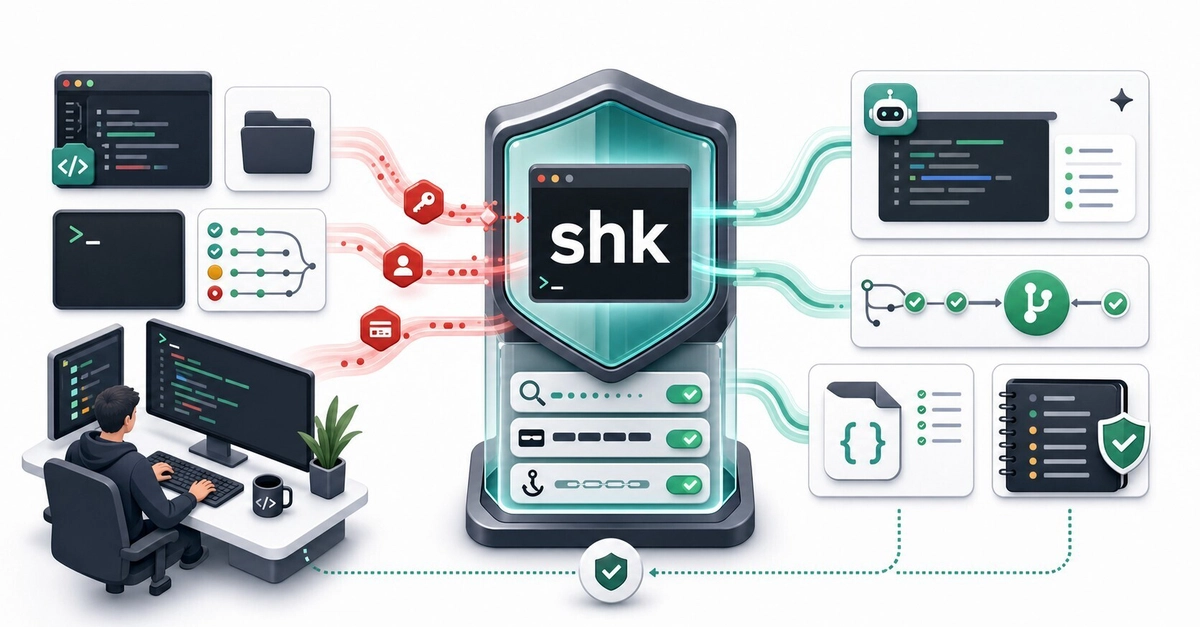
They can read local files, summarize logs, run commands, and transform sensitive context before anything is committed. shk is a local-first CLI for that messy pre-commit space: scan secrets and PII, mask prompts, and install managed hooks for Claude Code, Cursor, and Codex.

The problem is no longer just “secret reaches Git”

Most secret-scanning workflows are built around a familiar boundary: stop credentials before they land in Git, CI logs, or a release artifact.

AI coding agents move that boundary earlier.

An agent might read a file while following an import chain. It might summarize a pasted error log. It might run a shell command that prints .env contents. It might create a new file that quietly contains a token from earlier context. None of that requires a commit.

That is the gap shk is trying to cover: the local, messy, pre-commit space where AI tools actually operate.

What shk does in practice

shk is not one more dashboard you have to check. It is a single Rust binary that you put around the workflows where sensitive context tends to leak:

Before sharing context with an AI tool, use shk mask to redact secrets and PII from a prompt, log, or snippet.

Before an AI tool reads, writes, fetches, or runs something, use managed hooks to audit or block risky operations.

Before a commit or pull request, use the same scanner through Git pre-commit hooks and GitHub Actions.

That gives you one policy file, one set of rules, and one exit-code contract across local use, AI hooks, Git, and CI.

A quick tour

Install the latest release:

curl –proto ‘=https’ –tlsv1.2 -LsSf https://github.com/Kazuki-tam/security-harness-kit/releases/latest/download/shk-cli-installer.sh | sh

Enter fullscreen mode

Exit fullscreen mode

Windows users can install from PowerShell:

powershell -c “irm https://github.com/Kazuki-tam/security-harness-kit/releases/latest/download/shk-cli-installer.ps1 | iex”

Enter fullscreen mode

Exit fullscreen mode

Both shk and security-harness-kit resolve to the same CLI.

Start with a policy file:

shk init

Enter fullscreen mode

Exit fullscreen mode

Scan the current project:

shk scan .

Enter fullscreen mode

Exit fullscreen mode

Example output:

3 findings

HIGH secret.openai_api_key src/app.ts:12 Possible OpenAI API key detected
MED pii.ja.phone config/dev.ts:5 Japanese phone number detected
MED pii.en.ssn docs/test.md:8 US Social Security Number detected

Enter fullscreen mode

Exit fullscreen mode

Need a machine-readable report for automation? Use JSON. Raw matched values are not emitted; findings use redacted_value: “(REDACTED)”.

shk scan . –json

Enter fullscreen mode

Exit fullscreen mode

Need to paste a production log into an AI chat? Mask it first:

shk mask

Enter fullscreen mode

Exit fullscreen mode

Need to protect the commit path?

shk scan –staged
shk hooks install

Enter fullscreen mode

Exit fullscreen mode

The basic loop is intentionally boring: scan, review, mask, and block only when a configured threshold is met.

The AI-specific part: managed hooks

The more interesting piece is shk hooks install-ai.

Instead of relying on you to remember to scan every prompt, shk can write managed hook entries into supported AI tool configs:

# Preview the changes first.
shk hooks install-ai –dry-run

# Start in audit mode: log findings, never block.
shk hooks install-ai –audit

# Or target one tool.
shk hooks install-ai –tool cursor
shk hooks install-ai –tool claude-code –global

Enter fullscreen mode

Exit fullscreen mode

Project-level installs are the default. Global installs write to the user-level config for the selected tool.

Supported integrations:

Tool
Managed config

Claude Code
.claude/settings.json

Cursor
.cursor/hooks.json

Codex
.codex/config.toml

The managed entries are tagged so they are easy to identify later (“_shk_managed”: true in JSON configs, or # shk-managed-start / # shk-managed-end in shell and TOML blocks).

It checks intent, not only text

Secret scanners usually inspect content. AI hooks also need to inspect actions.

In hook mode, shk reads the AI tool’s JSON hook payload and runs an action guard before scanning extracted text. The guard looks for operation shapes such as:

Reads or writes involving sensitive paths.
Commands that dump .env-style files.
Destructive recursive removal.
Direct database mutation commands.
Privilege or system configuration changes.
External transfer commands.
Package-manager operations.

The default recommended profile is conservative. A strict profile can also block opaque execution forms such as bash -c, python -c, and node -e, because pretending to safely interpret every nested command string is usually worse than being explicit about the risk.

You can tune this in shk.toml with (action_guard) allow and deny patterns.

Audit first, then block

Hooks make decisions through exit codes, so the contract is small:

Code
Meaning

0
No finding at or above the active threshold, or audit/post-hook completed.

1
Scan findings met or exceeded the active threshold.

2
A blocking AI pre-hook fired, or shk scan –staged ran outside a Git repo.

–audit always exits 0. Post-tool hooks also always exit 0, because the operation already happened and the useful behavior is reporting, not pretending to undo it.

That makes rollout straightforward:

shk hooks install-ai –audit

Enter fullscreen mode

Exit fullscreen mode

Let it run for a few days. Review .shk/audit.log. The log is metadata-only: counts, tool name, hook phase, display path, suppressed count, and maximum severity. It does not store raw matched values.

Once the noise level is acceptable, reinstall without –audit and let high-severity pre-hook findings block.

Same binary for Git and CI

AI hooks are the new boundary, but Git still matters.

Install a managed pre-commit hook:

shk hooks install

Enter fullscreen mode

Exit fullscreen mode

Generate a GitHub Actions workflow:

shk ci init github

Enter fullscreen mode

Exit fullscreen mode

The generated workflow installs the prebuilt release binary and runs:

shk scan . –json –fail-on high

Enter fullscreen mode

Exit fullscreen mode

It also uses a few defaults I wanted out of the box:

permissions: contents: read for minimal GITHUB_TOKEN scope.

concurrency: cancel-in-progress: true so newer PR pushes cancel stale runs.

actions/checkout@v6.
Release installer instead of cargo install, so CI does not rebuild a Rust toolchain.

You can also generate rollout variants when you need them:

shk ci init github –mode audit for non-blocking CI adoption.

shk ci init github –shk-version v0.2.3 for reproducible pinned installs.

A few workflows beyond scanning

These are the commands that make shk feel less like a one-off scanner and more like a local security harness:

shk doctor checks project hygiene, including ignore coverage and plaintext .env files.

shk doctor ignore –fix appends missing required patterns to .gitignore.

shk env dotenvx import-keys .env.keys moves dotenvx private keys into the OS credential store.

shk env dotenvx run — npm test injects stored dotenvx keys only into the child process.

shk secrets push pushes dotenv payloads into AWS Secrets Manager or GCP Secret Manager through the official aws / gcloud CLIs, with dry-run, audit logging, and PII pre-scan.

shk skills install deploys an embedded agent skill for Claude Code, Codex, and Cursor so agents know how to call shk in the project.

All of these are optional. The tool is still useful if you only use scan, mask, and hooks.

Suppression without pasting secrets into config

False positives happen. Test fixtures happen. Public demo values happen.

shk supports a few suppression shapes:

Inline comments such as # shk-ignore and # shk-ignore-next-line .
Path-based ((allowlist)) entries in shk.toml.
Value-specific suppression using value_hash = “sha256-hmac:…”.

The value hash is not encryption. It is a deterministic HMAC-SHA256 fingerprint over the raw value and rule id, so someone with the candidate value can recompute it. Its purpose is narrower and practical: your policy file should not become the place where people paste the secret they are trying to suppress.

Expired allowlist entries turn into low-severity warning findings instead of silently disappearing.

What it intentionally does not promise

Security tooling gets dangerous when it overstates its guarantees, so here is the honest scope.

shk is pattern-based. Built-in rules combine hand-tuned shk detections with generated secret.gitleaks.* rules adapted from the gitleaks default configuration. That covers many common providers and formats, but false positives and false negatives are both possible.

The PII rules are designed for “do not paste this into an AI prompt” hygiene. They are not compliance evidence.

The action guard is heuristic. It can flag risky operation shapes in hook payloads, but it is not a shell interpreter and should not pretend to be one.

shk is also not a replacement for a secret manager, a cloud provider’s scanning features, or a dedicated enterprise secret-scanning platform. It is a local guardrail layer for the part of development where AI tools read, transform, and generate context.

Try it on an existing repo

The smallest useful sequence is:

shk init
shk scan .
shk hooks install-ai –audit

Enter fullscreen mode

Exit fullscreen mode

If the audit log looks reasonable after a short soak period, reinstall without –audit and block on high-severity pre-hook findings. If it is noisy, tune (thresholds), ((allowlist)), and (action_guard) first.

The goal is not to make the tool dramatic. The goal is to make secrets, PII, and risky AI operations visible before they leave the local development boundary.

Issues, rule contributions, and false-positive reports are welcome. The rule set gets better as more real codebases run through it.


Source link

I Was Cleaning the Same Repeated Words Manually… So I Built This


The Problem Looked Small at First

I was editing a big chunk of text.

And suddenly I noticed something annoying:

Same words repeated
Duplicate keywords everywhere
Repeated lines inside copied content

At first I thought:

“I’ll just remove them manually.”

Big mistake.

What Happened Next

The more text I checked…

The more duplicates I found.

Same word.Same keyword.Same line.

Again and again.

And after a while:

👉 I wasn’t editing content anymore👉 I was just cleaning repetition

The Most Frustrating Part

You never fully trust manual cleanup.

Because there’s always that feeling:

“I probably missed some duplicates.”

And honestly…

Most of the time, you do.

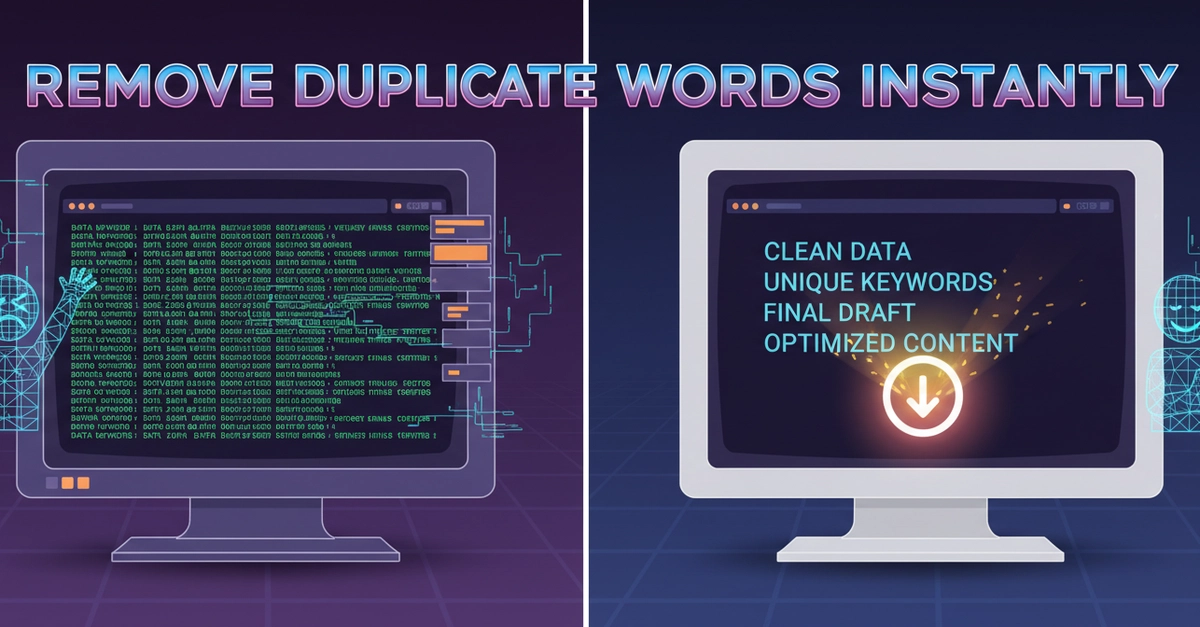
Why I Built This Tool

So I built something simple:

👉 https://allinonetools.net/duplicate-word-remover/

A tool that can instantly:

Remove duplicate words
Remove duplicate keywords
Clean repeated lines
Process text line by line

No signup.No setup.No complicated options.

Just:

Paste → Remove Duplicates → Done

What I Realized

This problem happens everywhere.

Not just in writing.

People deal with duplicate text while:

Cleaning keyword lists
Organizing copied data
Editing AI-generated text
Formatting SEO content
Managing large text blocks

Why Duplicate Cleanup Matters

Repeated text creates:

Messy content
Poor readability
Harder editing
Confusing keyword lists

Even small repetitions make text feel unclean.

The Problem With Doing It Manually

Manual cleanup sounds easy…

Until:

The text gets large
Keywords repeat hundreds of times
Lines start looking identical

Then it becomes:

Slow, frustrating, and error-prone.

What I Focused On

I wanted the tool to feel instant.

So I kept it:

Fast
Minimal
One-click simple
Easy for large text blocks

Because this isn’t a “complex editing” task.

It’s a:

“Please clean this quickly” problem.

What Surprised Me

After building it:

Many people used it for SEO keyword cleanup
Others used it for AI-generated content cleanup
Some used it just to organize messy copied notes

And the biggest thing?

👉 People loved the “line-by-line” cleanup.

Because it removes duplicates without breaking structure.

The Real Insight

A lot of productivity problems are not difficult.

They’re just:

Repetitive and annoying.

Simple Rule I Follow Now

If users repeat the same cleanup task often…

👉 It should be automated.

Final Thought

You don’t always need powerful software.

Sometimes:

A tiny tool that removes friction is enough.

Be honest — have you ever copied text and later realized:

Half the keywords were repeated?
Or the same lines appeared multiple times?

What do you usually do in that situation? 👇


Source link