DAILY NEWS
Stay Ahead, Stay Informed – Every Day


Every AI coding assistant is shipping the same security bugs.
*Not a promo.. I mean why would anyone promote something free, actually looking to get some contributors to help us seal sone holes of ai-coded products and encourage founders of ai-written products to respect security and privacy.*
So, here it goes.. Nowadays many of us are building with Claude Code, Copilot, Cursor, Codex, Gemini, or any AI coding assistant, this is worth running against your project. – To be honest, I did think of building a tool around this, but it doesn’t sound nice to monetize on vulnerabilities for me, nor do I see much logic having a ‘blackbox’ that allegedly scans your projects. We’re talking about security here, so IMO such things should be open source and allow contributions.
And of course – my good friend AI helped me speed up the shipment of this repo 🙂
Some of most common things that appear :
JWT secrets set to “secret” or “changeme”
API keys in NEXT_PUBLIC_ env vars, fully exposed to the browser
User input going directly into system prompts via string interpolation
Vector databases using one shared namespace for all users — any user’s RAG query can
surface another user’s documents
Agents handed child_process access with no scope restrictions
These aren’t obscure edge cases, this is how most of AI-generated code comes out, if you allow it to produce HUGE chunks instead of targeted and controlled ai-coding. Even knowing tons about security and vulnerabilities, having AI write code might still expose you to some common cases.
The problem with existing references
OWASP, NIST, and CWE are good. They were written for a world where developers wrote most of their code by hand. They don’t cover MCP tool poisoning, cross-agent prompt injection, or what happens when your agent’s long-term memory accepts unsanitized writes. Ok, that’s not entirely true – today AI-generated code is allover the place, so we see more and more tools to review the code, etc, but many are paid and/or complicated which is an entry barrier for a vibe coder.
What I and few AIs shipped
A 258-item checklist across 17 categories, with a detection method for every item: static grep or AST pattern, runtime test, or config inspection. Severity rated. 33 items in Category 6 specifically cover LLM integration vulnerabilities that don’t appear elsewhere.
More usefully: a companion prompt.md that turns the full checklist into a structured codebase scan you can run in one command.
Running it
From your project root, with Claude Code installed:
claude “$(curl -s https://raw.githubusercontent.com/a-leks/genai-app-security-checklist/main/prompt.md)”
Enter fullscreen mode
Exit fullscreen mode
With Gemini CLI:
gemini “$(curl -s https://raw.githubusercontent.com/a-leks/genai-app-security-checklist/main/prompt.md)”
Enter fullscreen mode
Exit fullscreen mode
The model reads your codebase, runs all 258 checks, and returns a markdown report with severity, file path, line number, code snippet, and a specific remediation for each finding.
What the output looks like
### (6.1) Prompt injection — user input in system prompt
– Severity: Critical
– File: app/api/chat/route.ts
– Line: 34
– Snippet:
const systemPrompt = `You are a helpful assistant. User context: ${req.body.userBio}`
– Remediation: Move user-supplied content to the user message role, never system.
Strip prompt control characters before passing any user string to the model.
Enter fullscreen mode
Exit fullscreen mode
The LLM-specific items worth knowing
6.26 — MCP tool poisoning. If your agent uses third-party MCP servers, tool results from those servers enter the agent’s context as trusted input. An attacker who controls one of those servers can inject instructions through it.
6.27 — Agent memory poisoning. Whatever your agent writes to long-term memory gets read back in future sessions. If malicious content reaches that memory store, it executes next time the agent retrieves it.
6.30 — Cross-agent prompt injection. In multi-agent systems, output from Agent A becomes input to Agent B. If an attacker can influence Agent A’s output, Agent B processes the attack payload without knowing its origin is untrusted.
Where to find it
https://github.com/a-leks/genai-app-security-checklist
Apache 2.0. Contributions welcome — especially new LLM attack patterns with detection methods and real-world references.
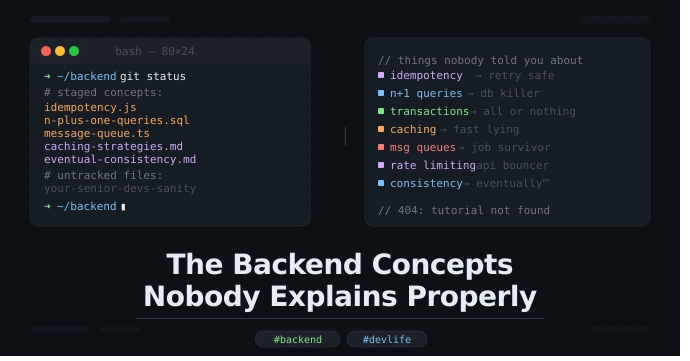
The Backend Concepts Nobody Explains Properly
And why your senior dev sighs every time you ask about them
So here’s the thing. You’ve been writing code for a while now. Maybe a year, maybe two. You can build a REST API, you know what a database is, you’ve definitely Googled “how to fix CORS error” at least 47 times. You’re getting there.
But then someone in a meeting drops a word like idempotency or eventual consistency and suddenly everyone’s nodding like they totally get it, and you’re just sitting there smiling and thinking — what the hell does that mean and why did no one explain it properly.
This blog is for that version of you. And honestly, a little bit for me too because I’ve been that person more times than I’d like to admit.
- Idempotency (the one everyone pretends to understand)
Okay so idempotency basically means — if you do the same operation multiple times, the result should be the same as doing it once.
That’s it. That’s the whole thing.
But where it actually matters is in APIs. Say a user clicks “Pay Now” and the request fails halfway. Their app retries. Did they just get charged twice? If your endpoint isn’t idempotent — yes. Yes they did. And now you have an angry customer and a support ticket and a bad day.
The fix is usually sending a unique key with each request (called an idempotency key) so the server can say “oh, I already processed this one, let me just return the same result.”
Stripe does this. Stripe explains it well. Most tutorials do not. Now you know.
- The N+1 Query Problem (your database’s silent cry for help)
This one physically hurts me because I wrote N+1 queries for like six months without knowing it.
Imagine you’re fetching a list of 100 users. Then for each user, you fetch their profile. Sounds fine in code. Looks terrible in your database logs — 1 query to get users, then 100 queries to get profiles. That’s 101 queries total. Hence “N+1.”
Your app works. It’s just slow. And at scale it’s really slow. And your DBA is quietly losing their mind.
The solution is usually eager loading — basically telling your ORM to fetch everything in one go using a JOIN. In Rails it’s includes, in Django it’s select_related, in every other framework there’s some equivalent that you need to learn exists.
Tools like Django Debug Toolbar or Laravel Debugbar will literally show you this problem in red. Use them. Please.
- Database Transactions (not just for banks)
Okay so a transaction is basically — either all of this happens, or none of it does.
Classic example: you’re transferring money. You debit one account and credit another. If the debit works but the credit fails… someone just lost money and it didn’t go anywhere. Cool. Great system.
Transactions wrap multiple operations so they succeed or fail together. If something breaks in the middle, it rolls back. Everything goes back to how it was.
The thing nobody explains is the ACID properties — Atomicity, Consistency, Isolation, Durability. These sound very textbook but they’re actually just answering four questions:
Did all of it happen or none of it? (Atomicity)
Is the data still valid after? (Consistency)
Can two operations mess each other up? (Isolation)
If the server crashes, do we lose data? (Durability)
You don’t need to memorize the acronym. Just know that when something important needs to happen together — wrap it in a transaction.
- Caching (the art of lying to your users, but fast)
Caching is when you store the result of something expensive so you don’t have to compute it again. That’s it.
The real stuff nobody explains is cache invalidation — deciding when to throw away the cached result and fetch fresh data. This is genuinely one of the hardest problems in computer science. Not joking. Phil Karlton famously said there are only two hard things in computer science: cache invalidation and naming things. He was right.
Common strategies:
TTL (Time To Live) — cache expires after X seconds. Simple. Sometimes wrong.
Cache aside — app checks cache first, if not there fetches from DB and stores it. Very common.
Write through — every write updates both cache and DB at the same time. Slower writes, fresher reads.
Where it gets interesting is distributed caches — like Redis running on a separate server. Now you’ve got to think about what happens if Redis goes down. Or if two servers update the cache at the same time. Or if the cache gets so full it starts evicting stuff you still needed.
Nobody warns you about this stuff when they say “just add Redis.”
- Message Queues (the answer to “what if this crashes”)
At some point you’ll have a feature where you need to send an email, or process a payment, or resize an image — and you don’t want the user to wait for all that before the page loads.
The beginner solution is to just do it async in a background thread. This works until your server restarts and all those background tasks just… disappear. Poof. Gone.
Message queues solve this. You push a job into a queue (like RabbitMQ, SQS, or Redis with Sidekiq). A worker picks it up and processes it. If it fails, it retries. If your server crashes, the job is still in the queue when it comes back.
The concept nobody explains: at-least-once delivery. Most queues guarantee a message will be delivered at least once — but not exactly once. So your worker might process the same job twice. Which means your worker needs to be… idempotent. See, it’s all connected.
- Rate Limiting (being a bouncer for your API)
You built an API. Someone decides to hit it 10,000 times per second. Either accidentally because their while loop has no sleep, or on purpose because they’re not a great person.
Rate limiting is saying “you get 100 requests per minute, after that I’m ignoring you for a bit.”
The part nobody explains clearly is how it’s actually implemented. There are a few algorithms:
Token bucket — you get X tokens per minute. Each request costs one token. When you’re out, you wait.
Leaky bucket — requests go into a queue, processed at a fixed rate. Smooths out spikes.
Fixed window — you get X requests per minute window. Resets every minute. Simple but gameable at the edges.
Sliding window — more accurate version of the above. Slightly more expensive to compute.
Most people just use the middleware and never look at which algorithm it uses. That’s fine. But when your rate limiting is behaving weird, this is why.
- Eventual Consistency (your data will be right… eventually)
This one sounds scary but the concept is simple once you stop trying to make it complicated.
In distributed systems, sometimes different parts of the system see different versions of the data for a short period. That’s eventual consistency — the system will get to the correct state eventually, just not instantly.
Think of it like this: you post a tweet. Your friend in another country sees it 3 seconds later. In between, some servers had it and some didn’t. That gap — that’s eventual consistency in action.
The reason this exists is because making all servers agree on every write immediately is really slow and really hard. So instead, you let them be briefly out of sync and just make sure they converge. The tradeoff is that during that window, different users might see different data.
For most apps this is fine. For some apps (banking, anything involving money moving) it’s not fine, and you need stronger guarantees. Knowing which one you need is the real skill.
The Bigger Point
These aren’t advanced topics. They come up in normal day-to-day engineering. But they’re poorly explained in most tutorials because tutorials focus on making things work, not on making things work at 3am when everything’s on fire.
Understanding these things doesn’t make you a 10x engineer or whatever. It just makes you the developer who actually knows why something broke instead of just restarting the server and hoping.
Which, honestly, is a great place to be.
If this helped even a little bit, share it with a junior dev who’s faking their way through architecture discussions. We’ve all been there.